![AMP-HubSpot-Mobile.png]](https://2361467.hs-sites-na2.com/hs-fs/hubfs/omega-builders-logo/AMP-HubSpot-Mobile.png?height=40&name=AMP-HubSpot-Mobile.png)
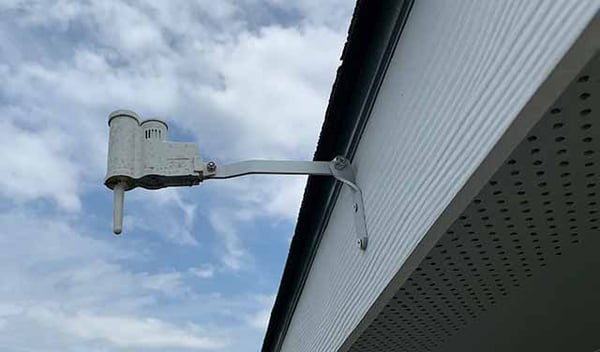
This is the exterior component of the rain sensor:
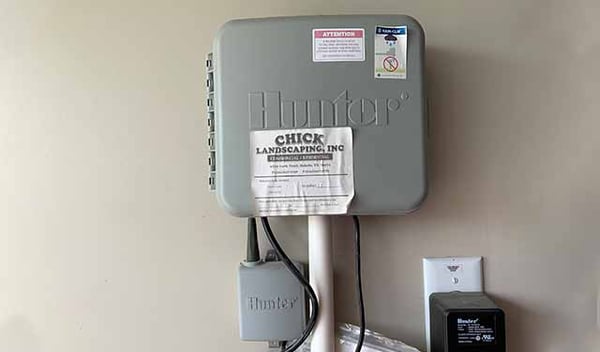
This is the interior component of the rain sensor (the smaller grey box with the antenna that connects to the controller):
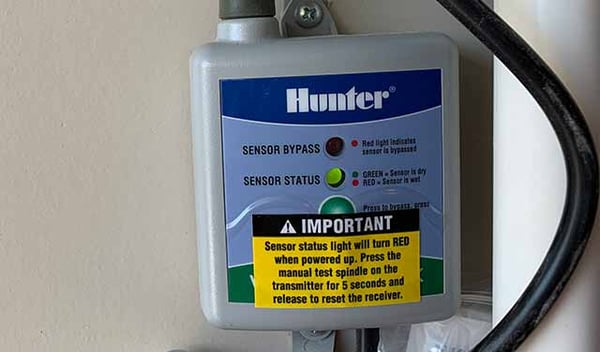
This is the display panel for the rain sensor, showing the status indicator lights:
The rain sensor control is in the upper left of the controller (the blue toggle button):
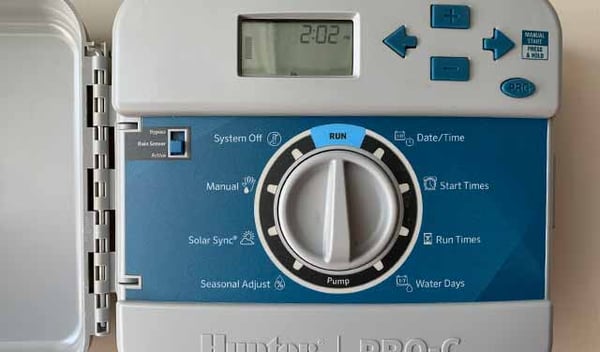
Controller Setting - Rain Sensor
Active = If the rain sensor is wet, it will override the controller and stop the irrigation program from running.
Bypass = If you don't want to use the rain sensor, switch the toggle to Bypass on the controller and the irrigation program will run regardless of whether it has rained.
Resetting the Rain Sensor - Loss of Power
Note: If power is lost to the controller, the sensor will turn red and not allow your system to run.
Once power is restored, you will need to hold down the button on the exterior component for 5 seconds to reset the sensor.
Verify the sensor status to ensure the light is green so your system will run properly.